01
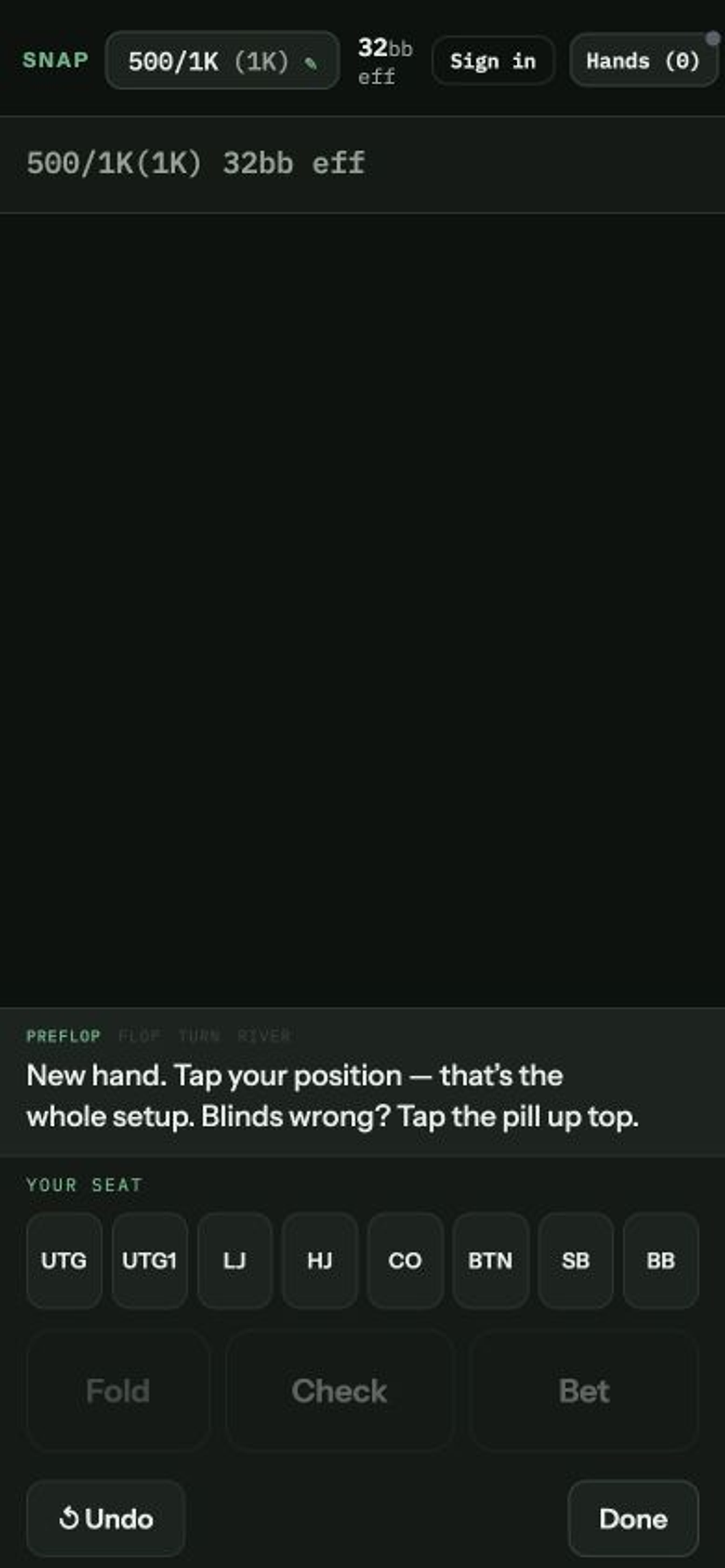
Tap "BTN"—the seat you're in—on the strip labeled "YOUR SEAT".
That's the whole setup. Blinds live in the pill up top ("500/1K (1K)")—tap it if they're wrong; it remembers between hands.
One real hand, start to finish, in about two minutes. Snap's guide bar walks you through all of this live—this page is the version you read once.
Skip to the FAQ ↓You're on the button with A♠T♠, 32 big blinds, blinds 500/1K. Here's every tap.
That's the whole setup. Blinds live in the pill up top ("500/1K (1K)")—tap it if they're wrong; it remembers between hands.
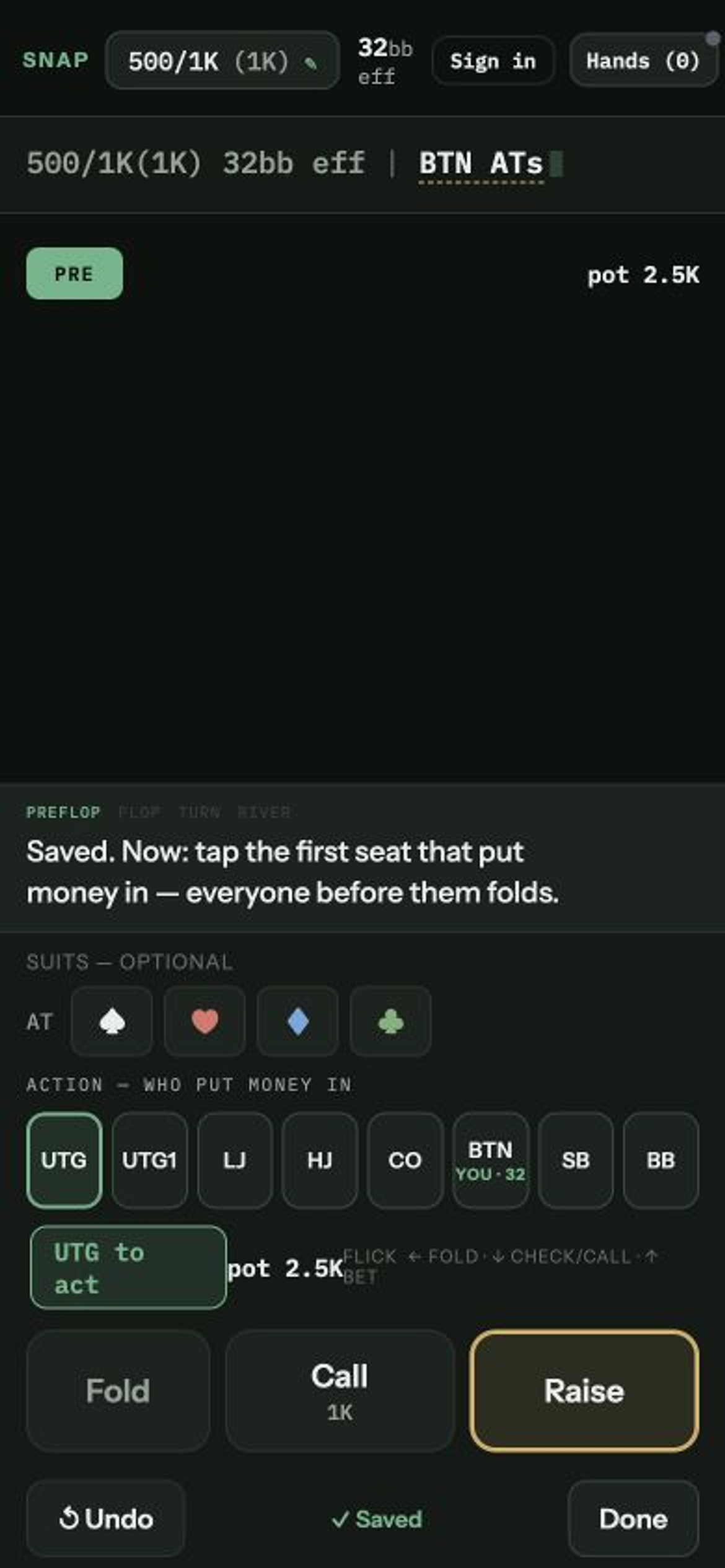
"✓ Saved" lights up and the line starts writing itself: 500/1K(1K) 32bb eff | BTN ATs. You could stop right here—tap "Done" and this is already a hand worth keeping.
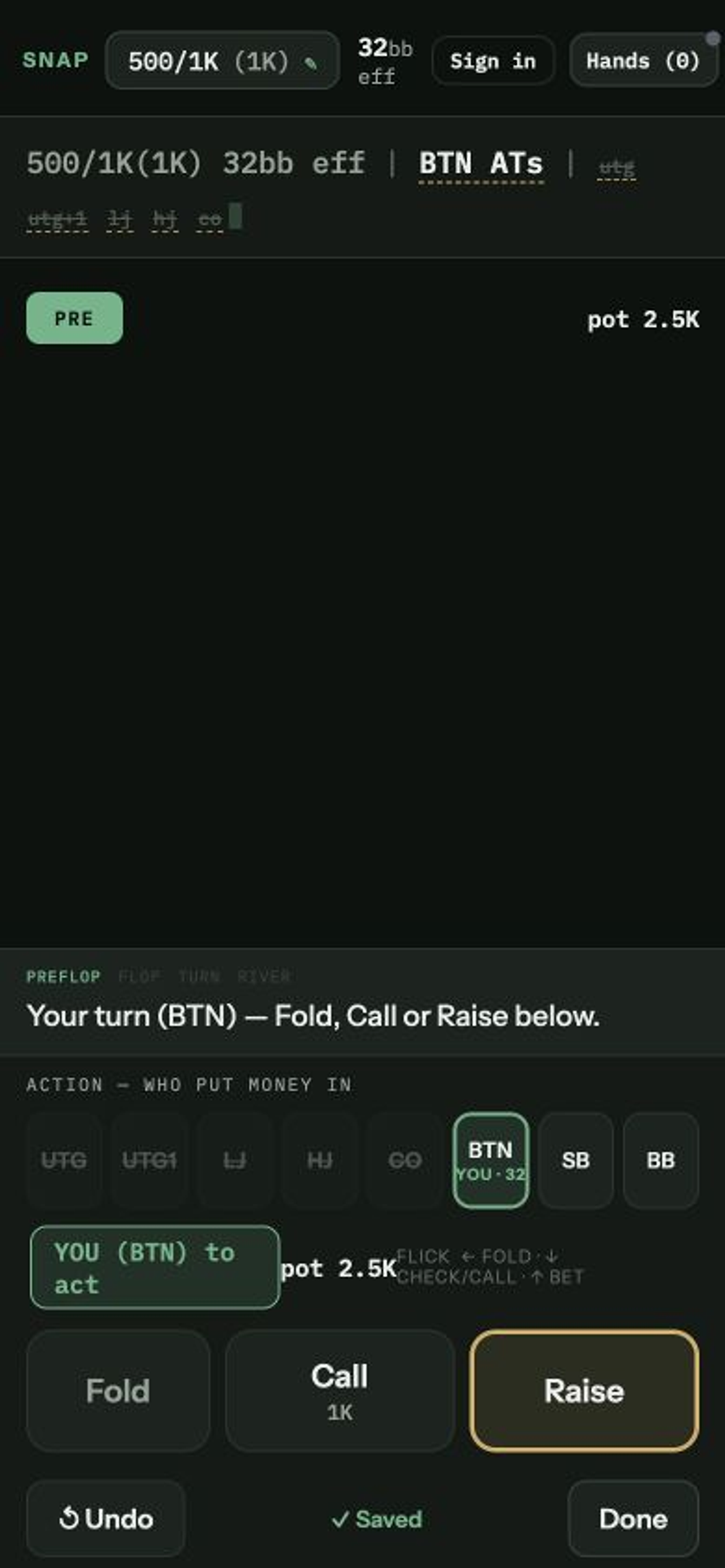
Snap folds everyone in between—utg utg+1 lj hj co land in the line as small dim tokens—and lights the action row for you. "Raise" is already highlighted.
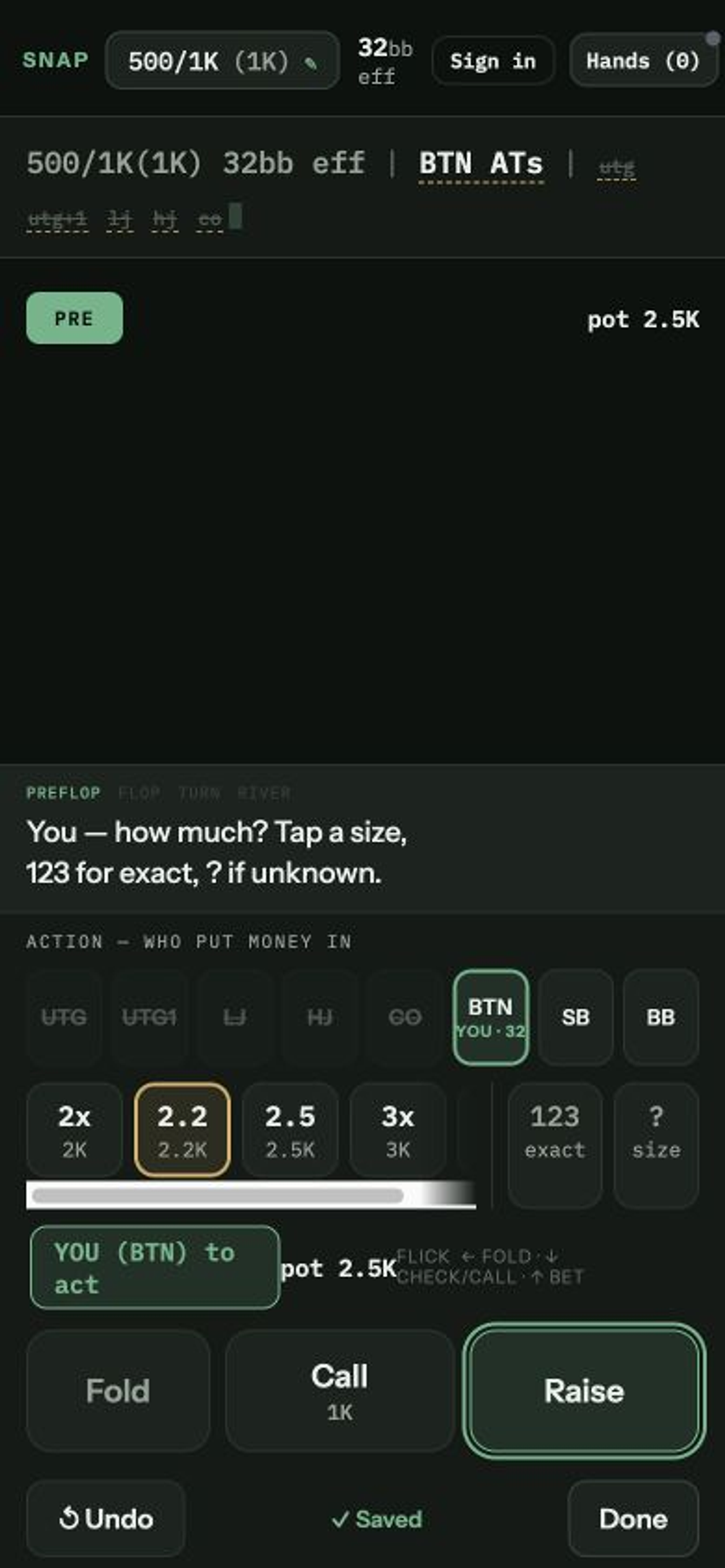
The line adds BTN 2.2K. The chips carry the likely sizes; "123" at the end of the row types an exact amount.
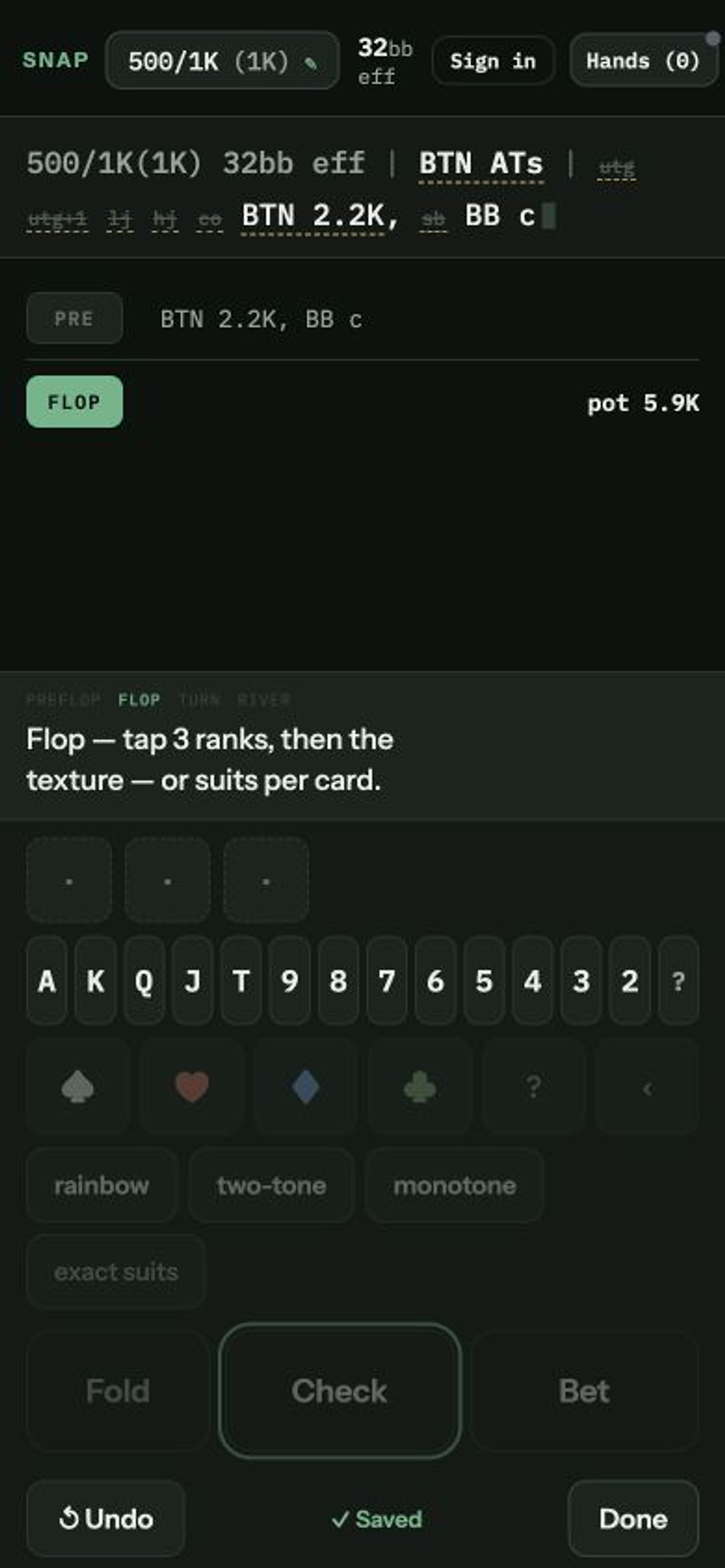
The small blind folds on its own (sb), preflop closes, and board entry appears. The line so far: … BTN 2.2K, sb BB c.
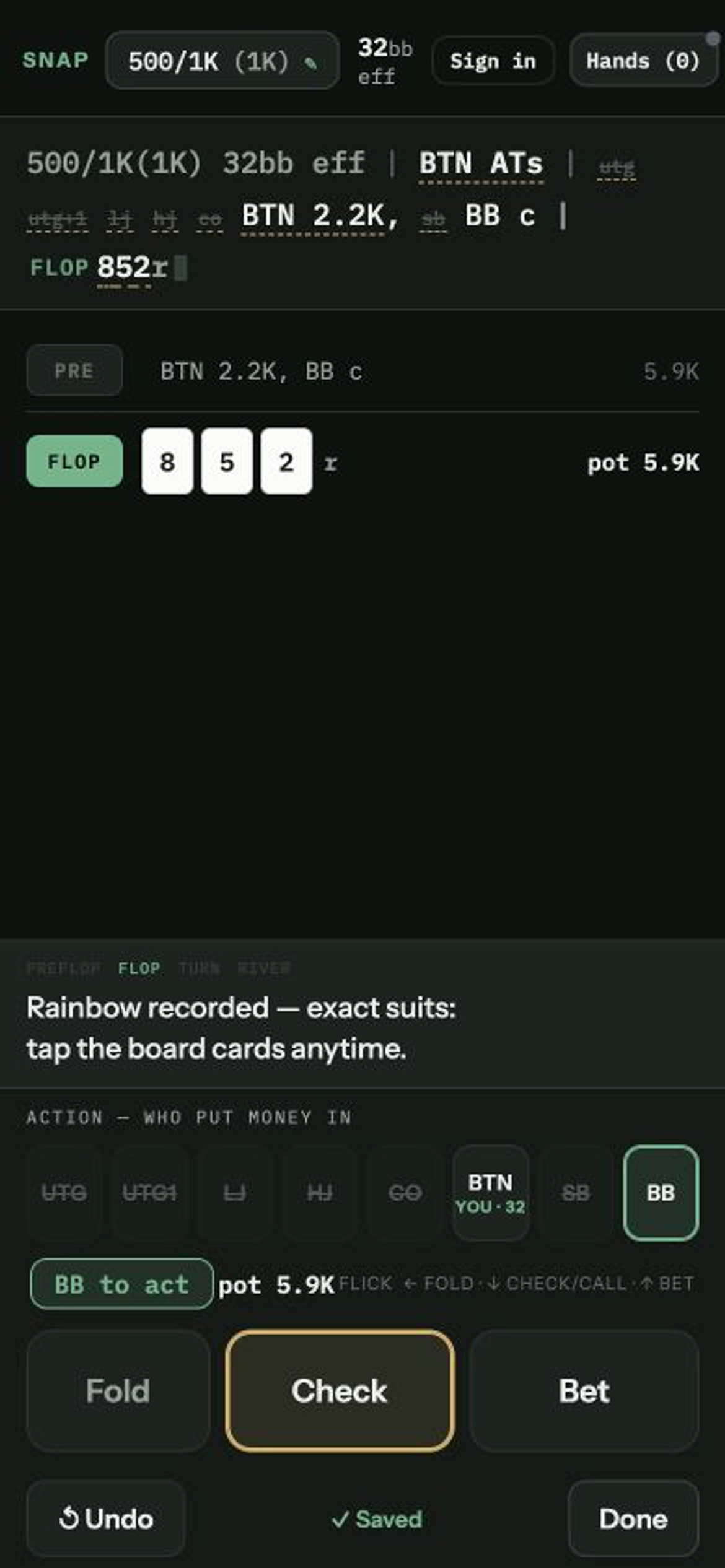
Three ranks and a texture is a complete board in pro shorthand: … | 852r. Exact suits can wait—or never come; the record is honest either way.
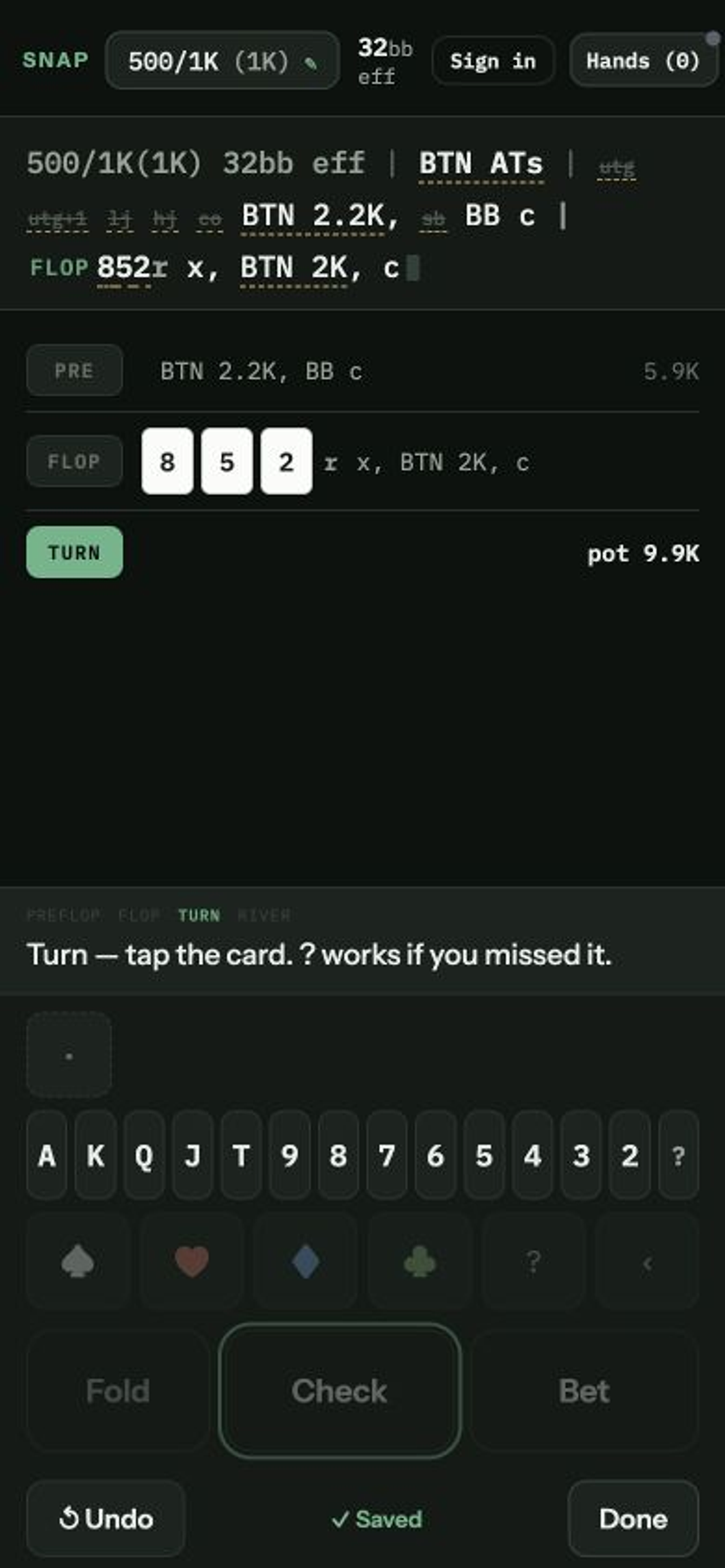
Heads up, Snap knows whose turn it is—you never tap a seat again. The flop reads … | 852r x, BTN 2K, c.
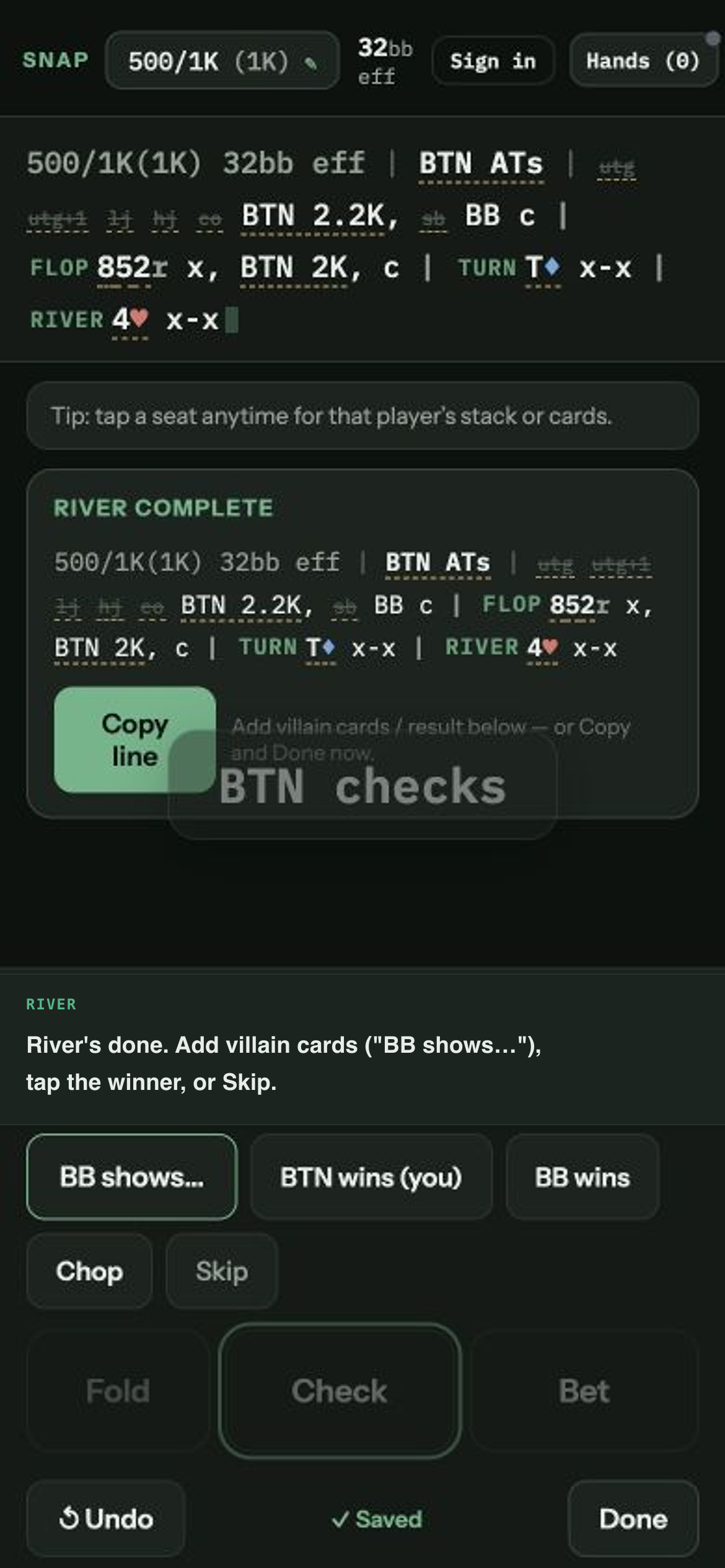
Each street is one card and the same taps: … | T♦ x-x | 4♥ x-x.
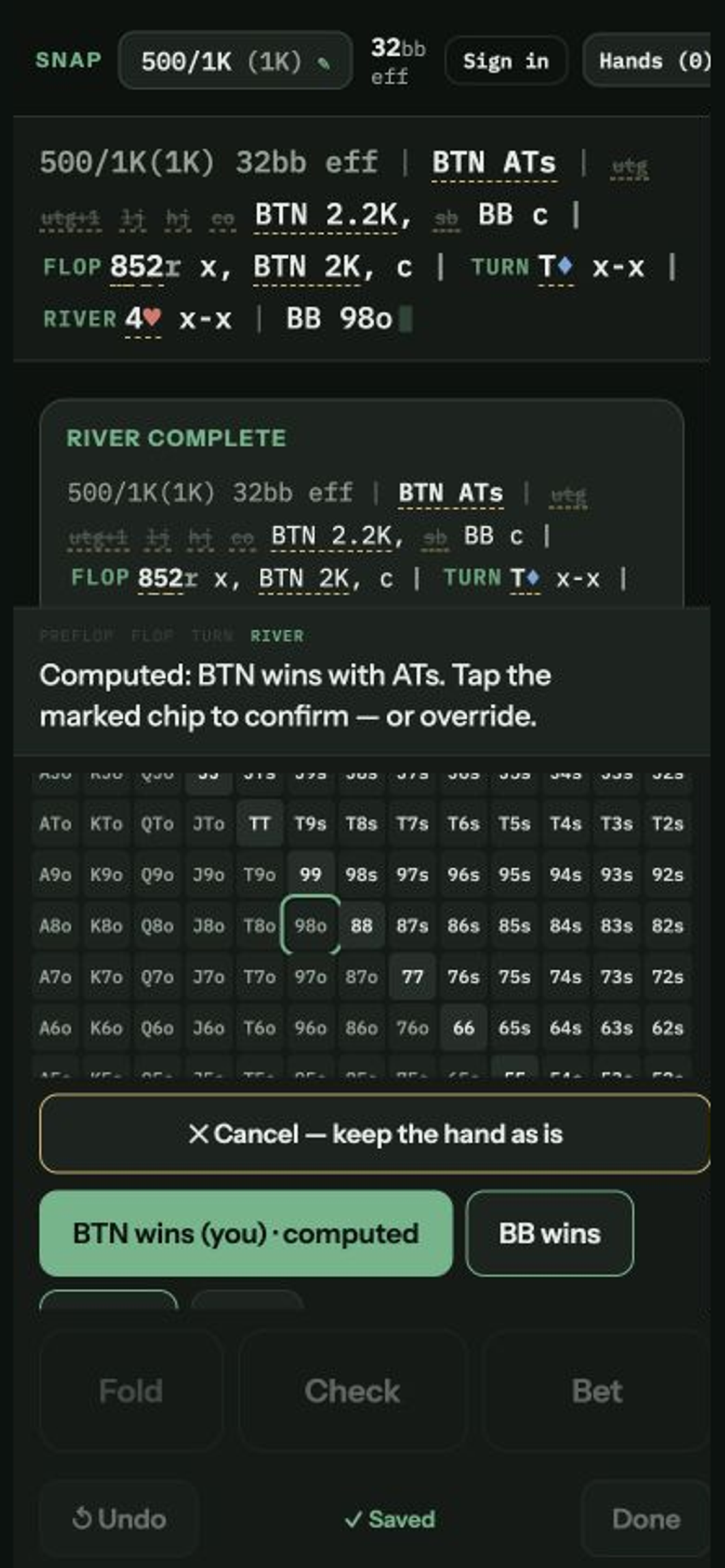
When the shown cards decide it, Snap has already marked the winner; one tap confirms. Snap never writes a result on its own. The finished line:
500/1K(1K) 32bb eff | BTN ATs | utg utg+1 lj hj co BTN 2.2K, sb BB c | 852r x, BTN 2K, c | T♦ x-x | 4♥ x-x | BB 98o | BTN wins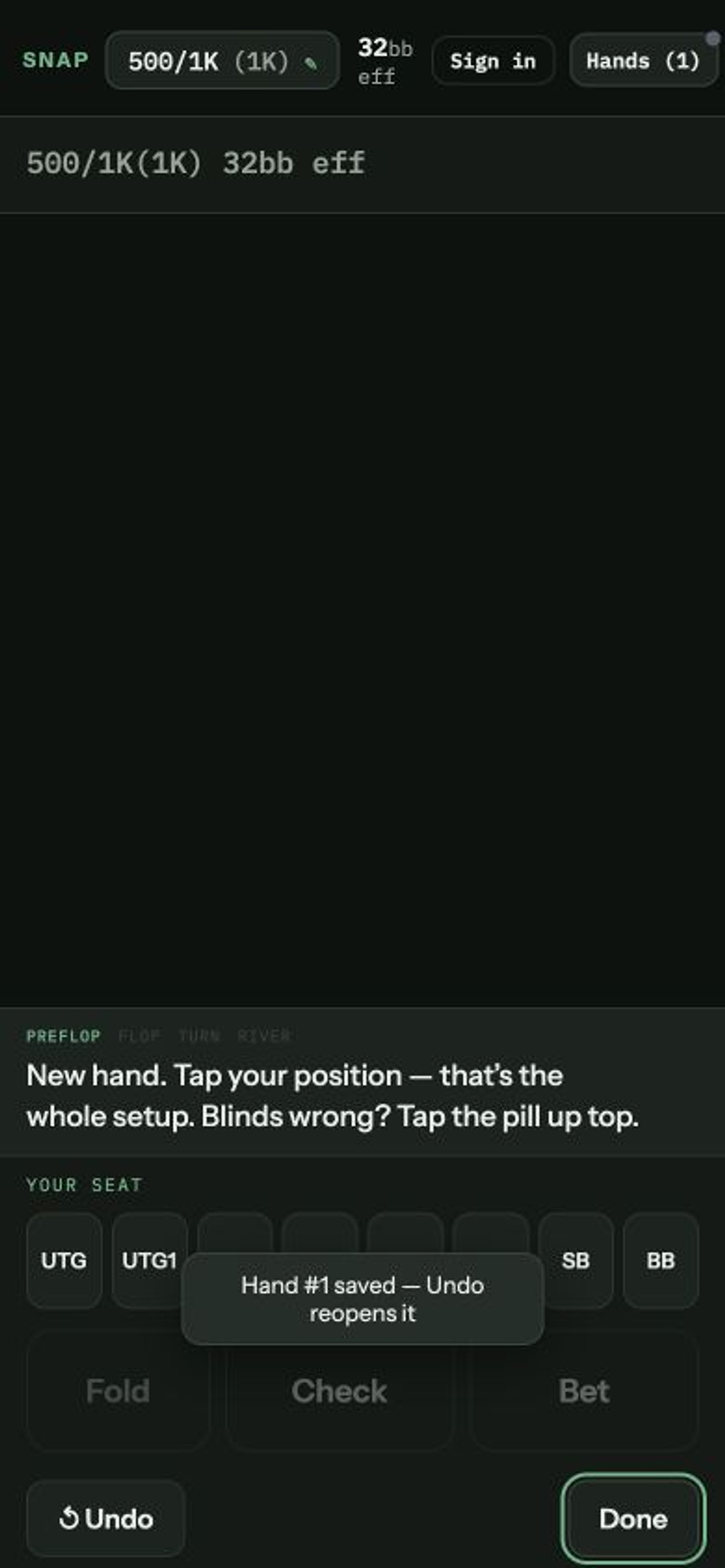
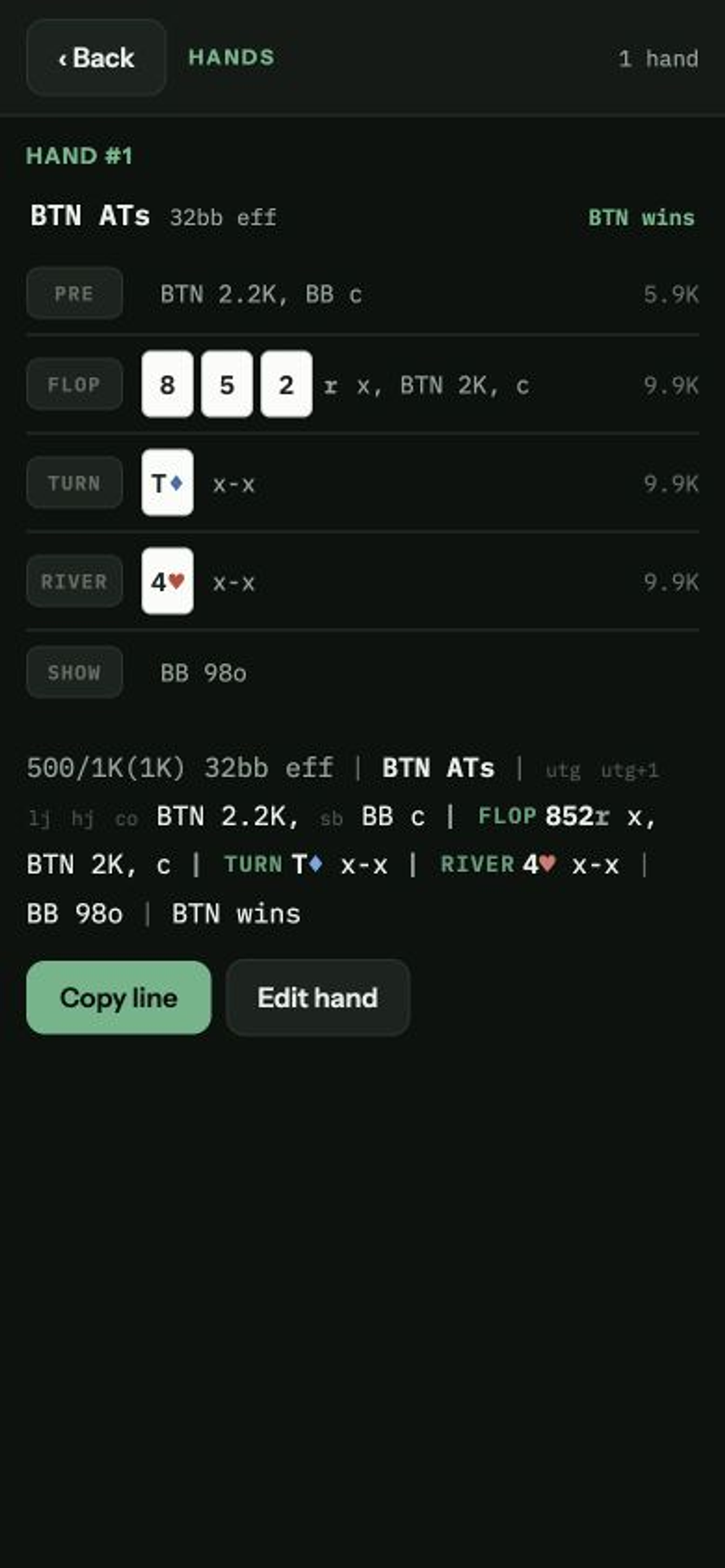
"Hand #1 saved — Undo reopens it". The counter reads "Hands (1)", the line resets, and your blinds and stack carry straight into the next hand.
That's it. That's the whole app at the table.
Drag up for the raise sizes, down for check or call, left for fold—from almost anywhere on the screen. A big confirmation flashes center-screen, readable without looking down; every flick has a tap that does the same thing.
Didn't catch a size or a card? Tap "?". It saves as honestly unknown and stays tappable until it comes back to you.
When a bet takes it down, one tap folds everyone still waiting. It only appears when it applies.
Tap any board card in the line to turn 852r into 8♣5♦2♠; tap your own cards to pin A♠T♠. Texture at the table, precision at the break.
Anything underlined in the line is tappable and edits in place—a size, a card, a fold Snap made for you. Later action follows the fix.
Never blocked, all the way back to an empty hand. Tapped right after "Done", it reopens the hand you just saved.
Hold Undo for a moment → "Discard? [Discard] [Keep]". Discard wipes the hand you're building — nothing is saved. It's the only thing in Snap that asks you to confirm, because it's the only thing that can't be undone.
Tap "Hands", tap the hand, tap "Edit hand"—it reopens into capture, and "Done" re-saves it in place: same hand, never a duplicate. "✕ Cancel edit" walks away clean.
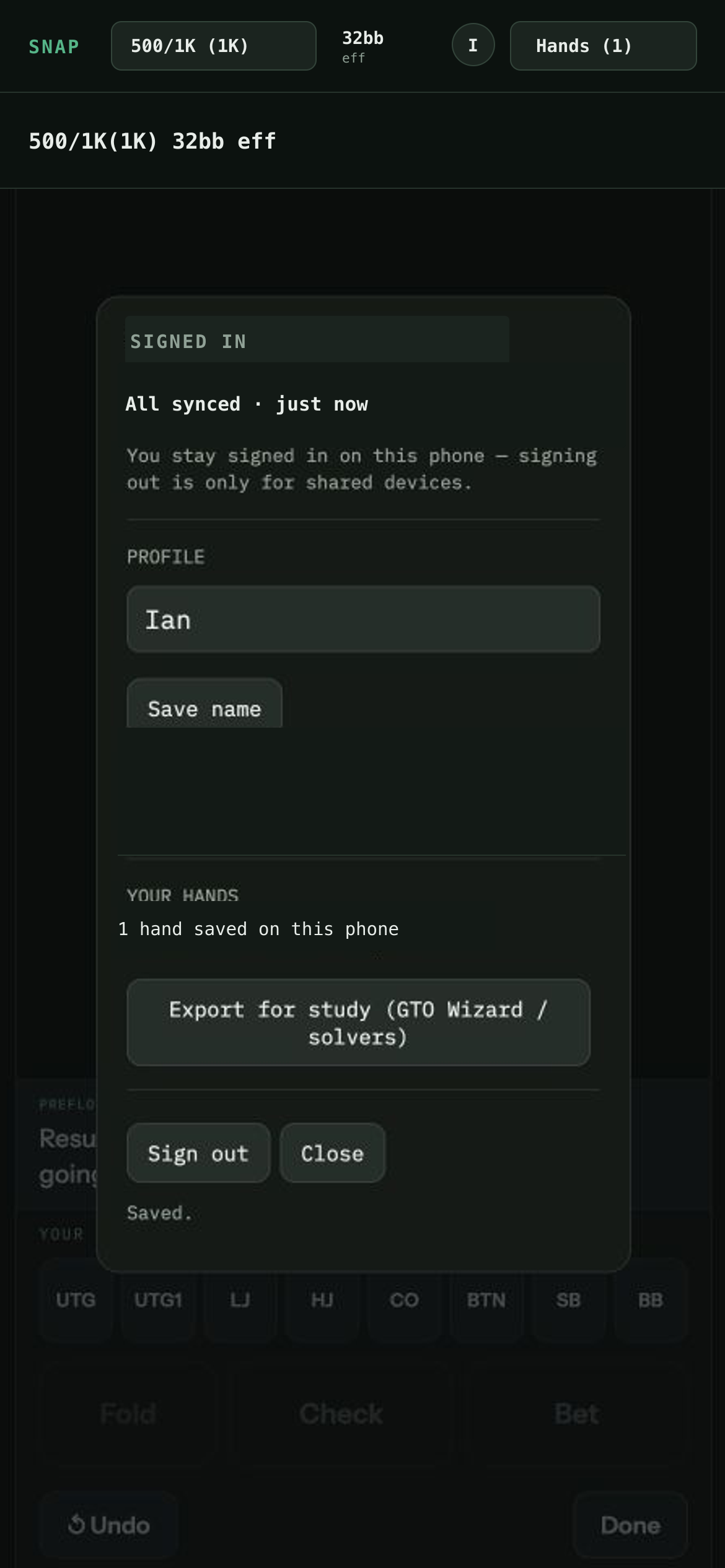
Tap "Sign in" next to "Hands", then "Email me a sign-in link"—tap the link, or type the code from the email. From then on, every saved hand backs up automatically.
Your phone always keeps the record first; sign in anywhere and your hands come back.
"Export for study (GTO Wizard / solvers)" in the account panel puts every hand on your clipboard as clean hand-history text—for your coach, your group chat, or the tools you already use.
Your next hand is the practice run.